
From Chatbots to Adaptive Interfaces: The Shift to Generative UI
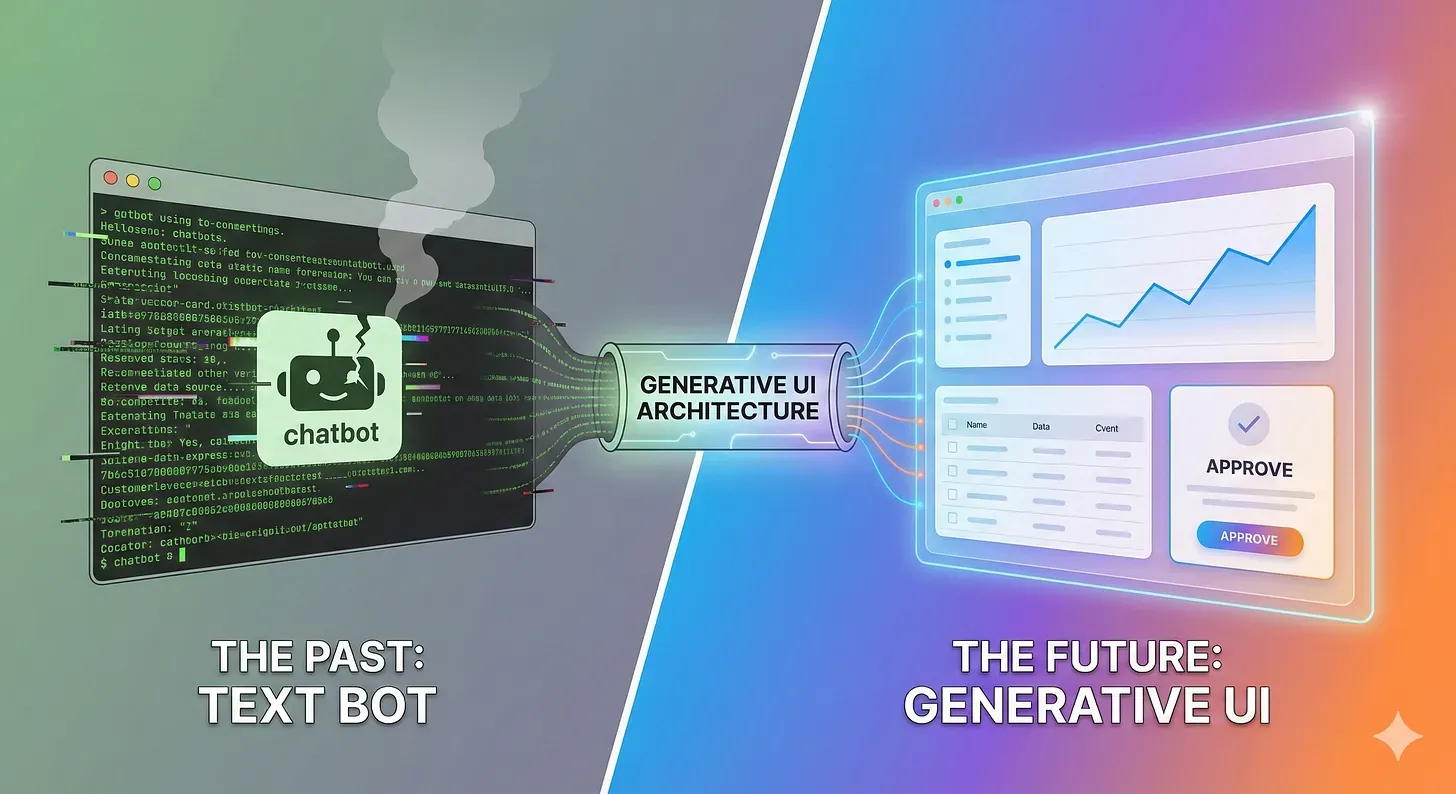
The Bandwidth Problem
It is 2026. We have agents that can reason, code, and orchestrate complex workflows. Yet, 99% of them still communicate with us through a text bubble.
We have built supercomputers and given them the interface of an SMS app from 2005.
Text is a terrible interface for complex data.
If you ask an agent to “Compare the cloud costs of AWS vs. Azure for our workload,” and it replies with four paragraphs of markdown text, it has failed. You have to read, parse, and mental-model the data.
If that same agent returns a Bar Chart or a Comparison Table, you understand the answer in 0.5 seconds.
The bottleneck in Agentic AI is no longer intelligence; it is Information Bandwidth.
To fix this, we need to kill the Chatbox. We need to move from Generative Text to Generative UI.
The Architecture: Server-Driven UI (SDUI) Reborn
Before we look at code, we need to understand the architectural shift.
Generative UI is essentially a modern adaptation of an old mobile engineering pattern called Server-Driven UI (SDUI).
In a traditional web app, the Frontend is “smart.” It has hardcoded routes:
/dashboard→ Renders the Dashboard Component./settings→ Renders the Settings Form.
In an Agentic app, the Frontend must be Polymorphic. It is “dumb” but flexible. It essentially says:
“I don’t know what I’m going to show yet. I am waiting for the Agent to send me a Schema.”
The Agent becomes the “Backend.” But instead of sending data to populate a pre-existing template, the Agent sends the template itself.
The New Workflow:
- User Intent: “Show me the sales performance for Q4.”
- Agent Reasoning: The agent identifies that the best way to answer is not language, but visualization. It selects a
SalesChartfrom its internal toolkit. - The Payload: The agent emits a structured JSON definition (not a string).
- Client Renderer: The frontend receives the JSON, maps it to a local React/Vue component, and renders it instantly.
This architecture decouples the Interface from the Implementation. The agent controls the Experience; the Frontend controls the Rendering.
The Component Registry Pattern
A common misconception is that the Agent generates HTML or React code on the fly. This is an anti-pattern.
If you let an LLM generate raw code (<div>...</div>):
- It will hallucinate CSS classes that don’t exist.
- It will break your layout responsiveness.
- It opens you up to XSS (Cross-Site Scripting) vulnerabilities.
The Solution: The Component Registry.
Think of this as a “Menu” or a “Design System” that you teach your agent to use. You provide the agent with a list of high-level, semantic components it is allowed to “order.”
KPICard: For displaying single, high-impact numbers.DataGrid: For detailed tabular data.LineChart: For time-series trends.ApprovalCard: For human-in-the-loop governance.
The agent doesn’t worry about pixels or padding. It just asks for a KPICard, and your frontend Design System handles the rest.
The Protocol: Teaching Agents to Speak “Component”
Now that we understand the Registry, how do we enforce it? We use the same strict typing we discussed in my “Microservices” post.
The agent doesn’t “guess” the UI; it fills out a schema.
1. Defining the Components (Pydantic)
We define the structure of every item in our Registry using Pydantic. This serves as the “contract” between the Agent and the UI.
Python
from pydantic import BaseModel, Field
from typing import Literal, Union, List
# Define the "Shape" of a KPI Card
class KPICard(BaseModel):
component: Literal["KPICard"] = "KPICard"
title: str
value: str
trend: Literal["up", "down", "neutral"]
# Define the "Shape" of a Data Table
class DataGrid(BaseModel):
component: Literal["DataGrid"] = "DataGrid"
columns: List[str]
rows: List[dict]
# The Union Type forces the Agent to pick ONE valid component
class UIResponse(BaseModel):
thought_process: str = Field(..., description="Why I chose this UI.")
ui_component: Union[KPICard, DataGrid]
When the Orchestrator decides to reply, the system validates the response against UIResponse. If the JSON matches, the frontend renders the UI. If the agent hallucinates a PieChart (which isn’t in our Union), the system rejects it automatically.
The Tech Stack: How to Build This Today
You don’t need to invent a proprietary protocol. The ecosystem for Generative UI has matured into two main paths depending on your stack.
Path A: The “Gold Standard” (Next.js + Vercel AI SDK)
If you are building a full-stack web app, the Vercel AI SDK (specifically the streamUI or RSC API) is the de-facto standard. It abstracts the complex “Tool-to-Component” mapping.
How it looks in code: Instead of returning text, you define tools that return React components directly.
JavaScript
// server/actions.ts (The Backend)
import { streamUI } from 'ai/rsc';
import { z } from 'zod';
import { WeatherCard } from '@/components/weather-card';
export async function checkWeather(city: string) {
const result = await streamUI({
model: openai('gpt-4o'),
system: 'You are a weather assistant. Use the display_weather tool.',
prompt: `Check weather in ${city}`,
tools: {
display_weather: {
description: 'Show the weather card',
parameters: z.object({ temperature: z.number(), condition: z.string() }),
// THE MAGIC: The tool executes and yields a UI component, not JSON
generate: async ({ temperature, condition }) => {
return <WeatherCard temp={temperature} cond={condition} />;
},
},
},
});
return result.value;
}
Path B: The “Python Native” (Chainlit / Streamlit)
If you are a backend engineer or data scientist who hates writing React, you use Chainlit. It allows you to emit “Elements” from Python that render as UI on the client.
Python
# app.py (The Python Backend)
import chainlit as cl
@cl.on_message
async def main(message: cl.Message):
if "sales" in message.content:
# Instead of text, we send a Chart Element
chart_element = cl.PlotlyPlot(figure=my_plotly_fig, name="Sales Q3")
await cl.Message(
content="Here is the sales breakdown:",
elements=[chart_element]
).send()
The Feedback Loop: Making it Interactive
A static chart is nice. An interactive card is better.
The hardest part of Generative UI is state management. What happens when the agent renders an “Approve Deployment” button, and the user clicks it?
You need a Shadow Protocol for UI events.
The Loop:
- Agent: Renders
<ApprovalCard deploymentId="123" />. - User: Clicks “Approve”.
- Frontend: Does not just call an API. It sends a “System Message” back to the Agent’s context window.
- Payload:
UserInteraction: { component: "ApprovalCard", action: "click", id: "123" }
- Payload:
- Agent: Receives this message, interprets it as confirmation, and executes the deployment tool.
This turns the UI into a two-way communication channel. The user isn’t typing “Yes, I approve.” They are clicking. The Agent “hears” the click.
Conclusion: The “Invisible” Agent
The ultimate goal of an AI Architect in 2026 is to make the AI disappear.
When I use a “Travel Agent App,” I don’t want to chat with a bot about flights.
- I say: “Find me flights to Tokyo next Tuesday.”
- The Agent silently queries the API.
- The UI morphs into a list of flight cards with “Book” buttons.
- I click “Book.”
- The UI morphs into a confirmation ticket.
At no point did I read a paragraph of text. That is the power of Generative UI.